
She's finally down. You've got one arm under her and one eye on the monitor and you're trying to remember whether the bottle was 3 oz or 3.5. You could open the app. You could navigate to Tracking, tap Feeding, type in the amount, set the time. You could do all of that — but then you'd have to put her down to do it, and you're not putting her down.
So you don't log it. And then you can't quite remember it an hour later. And then it's gone.
This is the problem we've been thinking about since we built Early Days. Voice journaling helped — you can tap a mic and talk without both hands free. But sometimes even that is too much. Sometimes all you want to do is message someone.
So now you can. Early Days connects to Claude, ChatGPT, Codex, Cursor, and any other AI assistant that supports standard connectors. You tell it what happened. It logs it. Everything shows up in your app exactly as if you'd tapped it yourself.
What This Looks Like in Practice
You don't need to learn any special syntax. You don't need to format your message in a particular way. You just describe what happened, the same way you'd text your partner:
"Just changed a wet diaper, she had 3.5 oz about twenty minutes ago and she's down for a nap now."
Early Days parses that as three separate events — a diaper change, a feeding, and the start of a sleep session — and logs all of them with the correct timestamps. The feeding is back-dated to twenty minutes ago because you said so. The nap timer is running. Everything is in your tracking view when you check it next.
Or you're out on the morning walk and you're thinking about something — a feeling you haven't been able to put words to, something your daughter did with her hands this morning, a thing she said that you don't want to forget. You pull up Claude and you just say it:
"She smiled at me today for the first time and I completely lost it. Like, unexpectedly. I had to sit down on the floor."
That becomes a journal entry in Early Days. Time-stamped, saved, in your journal. No app to navigate, no keyboard, no context-switching. You said it. It's there.
What You Can Log
The Early Days connector supports everything the app supports for baby care tracking:
- Diapers — wet, soiled, or both. Add weight if you're doing NICU-style tracking.
- Feedings — bottle or breast, amount in oz, side, duration. Start time, end time, or just "right now."
- Sleep — start a nap, end a nap, or log a completed sleep session. The app tracks active sessions so you know exactly how long she's been down.
- Tummy time — duration, start and end times.
- Medicine — name, dose, unit. "Half a dropper of Tylenol" becomes a logged entry.
- Temperature — value, unit (F or C), and how it was taken.
- Journal entries — free-form notes, voice thoughts, answers to your daily question. Anything you'd write in the app.
- Milestones — first smile, first word, first steps, or anything you define yourself.
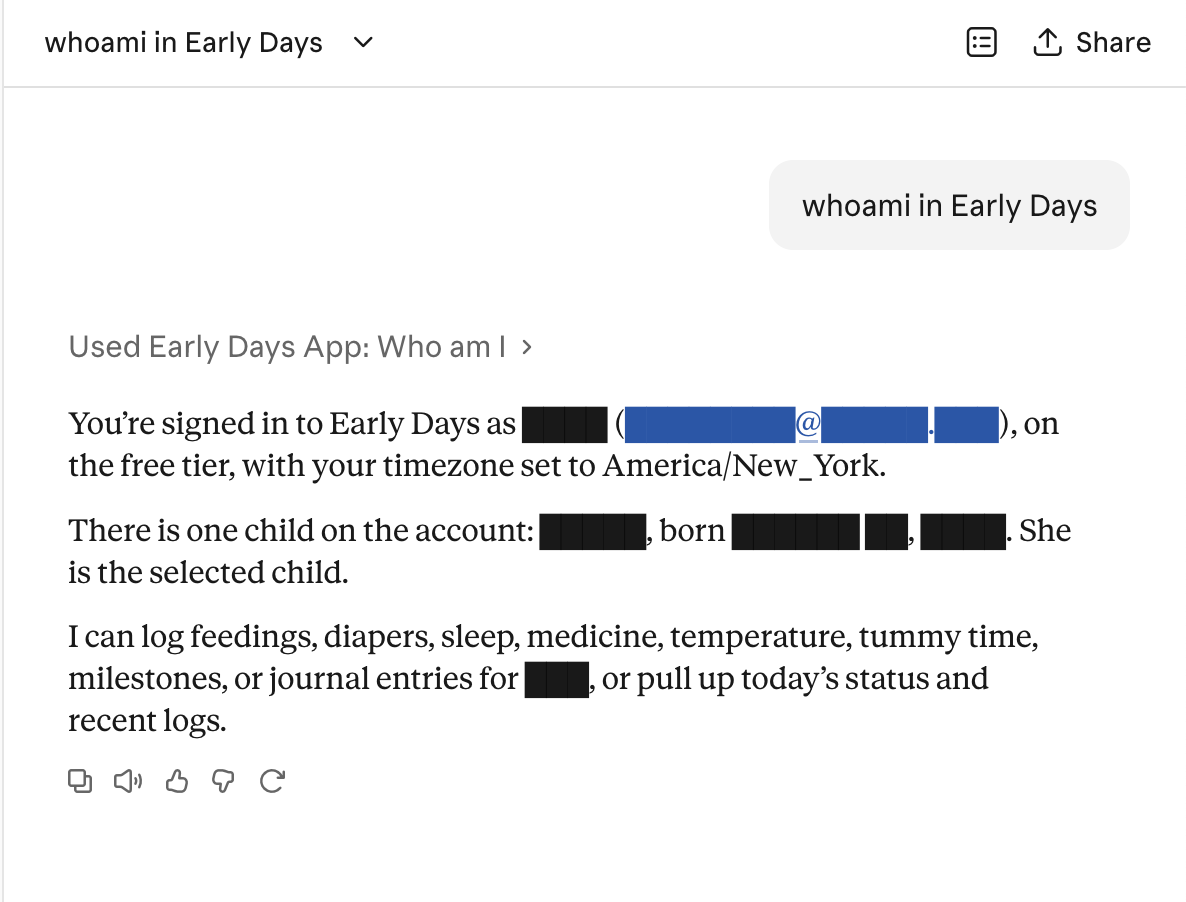
You can also ask questions: "how's she doing today?", "when did she last eat?", "is she still napping?" The assistant pulls from your Early Days data and gives you a real answer — not a generic one, your answer, based on what you've actually logged today.
Connecting Your Account
Setup takes about two minutes. Here's how it works in Claude:
- Open Claude and go to Connectors (or Settings → Integrations, depending on your client).
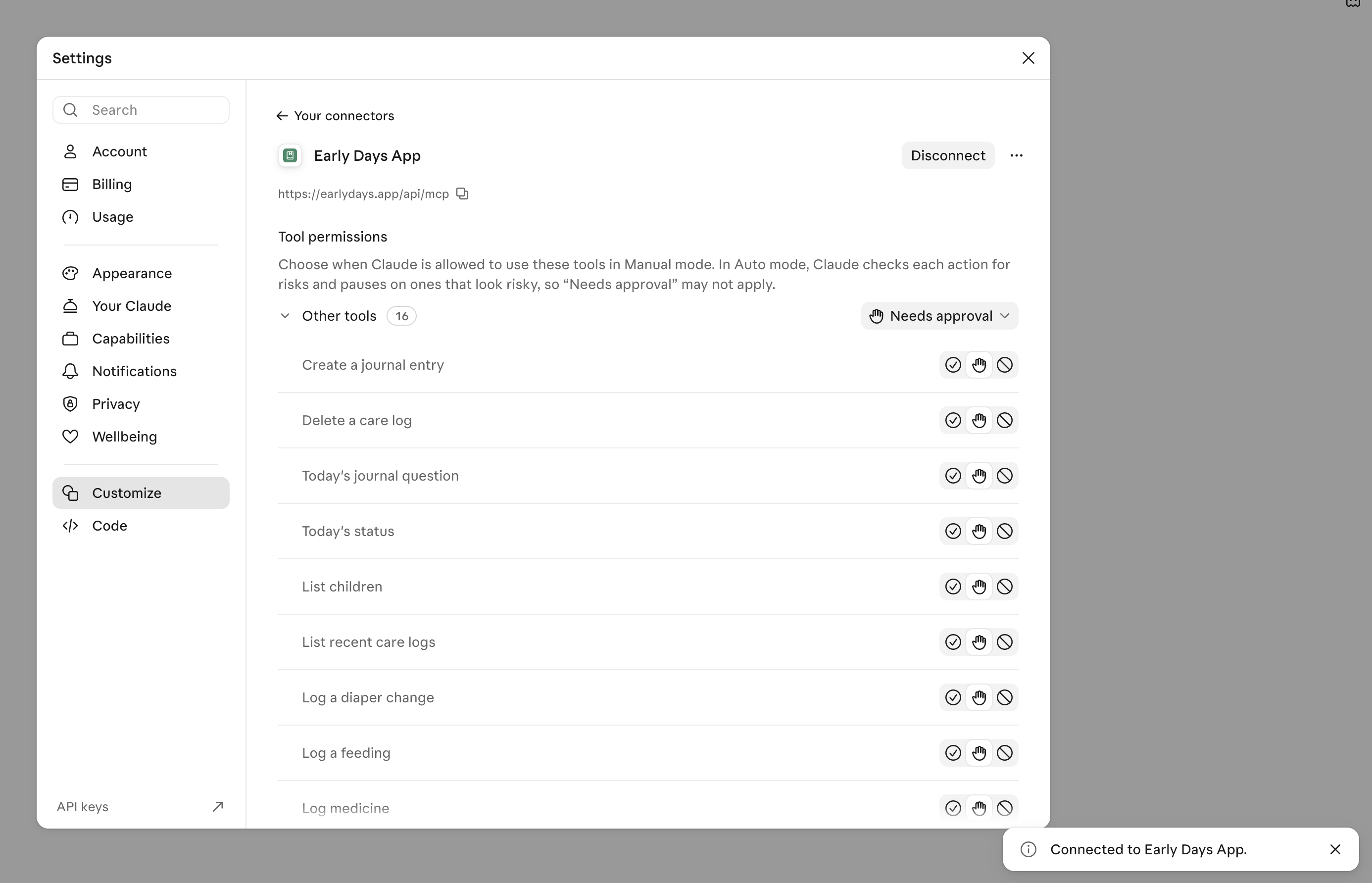
- Search for "Early Days" or add it manually with the address
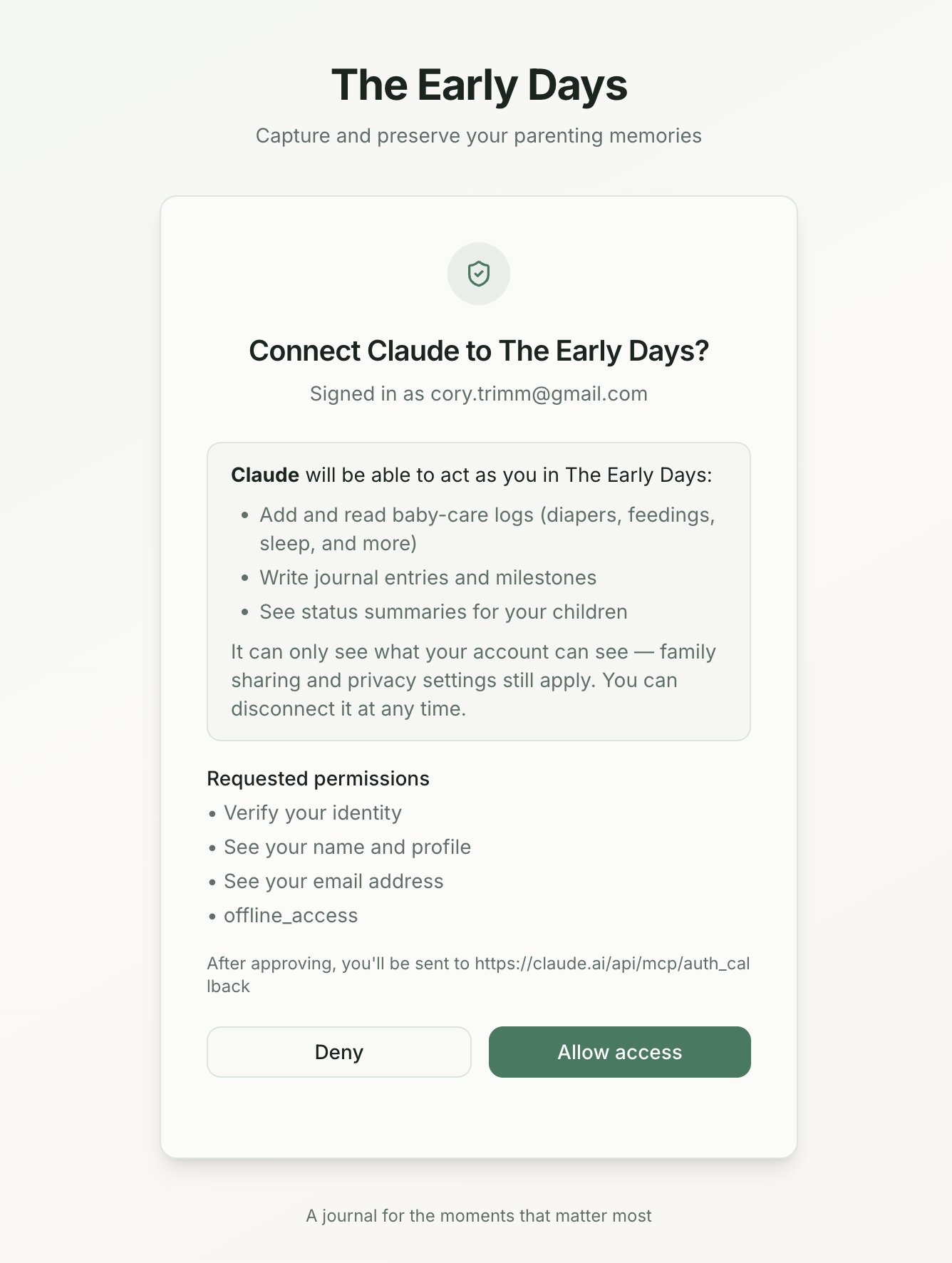
https://earlydays.app/api/mcp. - Claude will open a connection request. You'll see the Early Days consent screen — a page that explains exactly what Claude is asking permission to do and lets you approve or deny it.
- Approve. You're connected.
Once connected, start any message with what you want to log and the assistant takes it from there. You can type or use your phone's dictation. You can send a single sentence or a whole paragraph — it'll parse whatever's in there.
The same setup works for ChatGPT, Codex, Cursor, and any other assistant that supports MCP connectors. Connect it once and it stays connected.
What "Access" Actually Means
When you connect an AI assistant to Early Days, it can act as you — but only within the same boundaries you have yourself. It sees the data your account can see. It can log entries the same way you'd log them in the app. It cannot access data belonging to other families. It cannot change your subscription, your settings, or your account details.
Your partner's privacy settings still apply. If you've marked certain journal entries as "Only Me," they stay private — connected assistants respect that the same way the app does.
The connection goes through Supabase, the same infrastructure that handles your account security in the app. Your Early Days password never leaves your account. The AI assistant gets a token that lets it act as you in Early Days — nothing more, and you can revoke it whenever you want.
Free vs. Premium
Free accounts can use the AI assistant connection for diaper and sleep tracking — the same free features available in the app itself. Premium accounts unlock all 8 tracking types plus journal entries, milestones, and status summaries. The tier rules match the app exactly — no surprises.
Why We Built This
The honest answer is that AI assistants got good enough that this became possible, and once we saw it working we couldn't imagine not shipping it.
The longer answer is that we've always believed the barrier between a moment and a memory should be as small as possible. Voice journaling removed the barrier for personal reflection. Partner sharing removed the barrier between two parents trying to stay on the same page. This feature removes the barrier when your hands are full and all you want to do is tell someone what just happened.
Your memory of the early days is built from thousands of small moments — a feeding that went well, a nap that finally stuck, a smile that came out of nowhere. Most of those moments don't get documented because documenting them is too much friction in a moment when you have no friction to spare.
This is our best attempt yet at removing that friction. Say what happened. It's in Early Days.
Frequently Asked Questions
Which AI assistants does this work with?
Any assistant that supports MCP (Model Context Protocol) connectors — including Claude, ChatGPT, Codex, Cursor, and others. The connection uses an open standard, so support will expand as more assistants adopt it. Check your assistant's settings for a "Connectors" or "Integrations" section and look for Early Days, or add it manually with the address shown in your Early Days settings.
Does the AI assistant read my existing journal entries?
No. The connector gives your AI assistant the ability to log new entries and check today's status — it cannot browse your historical journal. Your past entries, photos, and voice recordings stay private in Early Days and are not sent to any AI assistant.
What if I say something ambiguous or the assistant gets it wrong?
You can ask the assistant to correct it: "actually that feeding was 4 oz, not 3.5" and it will update the log. You can also delete a log entirely if something was recorded by mistake. Everything the assistant logs is fully editable in the app.
How do I disconnect an AI assistant?
In the AI assistant's settings, remove the Early Days connector. This immediately revokes its access — no further logging is possible from that connection. You can reconnect at any time by going through setup again.
Is the AI assistant connection available on the free plan?
Yes. Free accounts can connect an AI assistant and use it for diaper and sleep tracking — the same features that are free in the app. Feeding, medicine, temperature, tummy time, journal entries, and milestones require a Premium account.
Does using an AI assistant change my privacy settings?
No. The same privacy rules that apply in the app apply to entries logged via AI assistant. "Only Me" entries stay private. Partner-linked accounts see shared entries. Family visibility settings are inherited by everything the assistant logs.


