Documentation
Everything The Early Days does, in one place: how the daily journal works, what you can track, how sharing and AI features behave, and how to connect an AI assistant like Claude to log care by voice. New here? Start with Getting started, or see a filled-in journal on the sample timeline.
Overview
The Early Days is a private parenting journal and baby-care tracker. Instead of a blank page, it asks you one thoughtful question a day, and alongside the journal it keeps the practical record — feedings, diapers, sleep, milestones — that the first year runs on.

The app has a few main areas, all reachable from the bottom navigation:
- Journal — your daily question, entries, photos, and voice notes on a timeline.
- Tracking — one-tap care logs and a trends heatmap of your days.
- Milestones — first smile, first steps, and your own custom moments.
- Calendar — browse any past day: what you wrote, logged, and photographed.
- Postcards — turn entries into printed postcards mailed to family.
- Tips, Search, Achievements, and Wrapped — parenting tips, full-text search across your journal, streaks and achievements, and periodic look-backs.
Early Days runs in the browser and installs as an app (a PWA) on your phone's home screen — nothing to download from an app store.
Getting started
- Create your account at earlydays.app/signup with an email and password, or Google sign-in.
- Add your child — name and birth date (or due date, if you're starting before the birth).
- Answer today's question. That's the whole ritual — everything else builds on it.
- Install the app — on your phone, use "Add to Home Screen" from the browser menu so Early Days opens like a native app.
- Invite your partner from Settings so you journal and track together (see Partner and family sharing).
The daily journal
Every day, Early Days picks one question for you from a library of more than 1,000 prompts in three categories: about your child, about you as a parent, and about your partnership. The pick is deterministic — you and your partner each get your own question, and it's the same one all day, in the app and in any connected AI assistant.

- Primary entry — your answer to today's question. Type it, dictate it, or attach photos and video.
- Extra entries — free-form notes any time, for anything the question didn't cover.
- Per-entry privacy — mark any entry "Only Me" and it stays hidden from your partner and family shares.
- Automatic tagging — entries are quietly tagged by theme so search and summaries can find the moments later.
Voice, photos, and video
Most logging happens one-handed, so Early Days is built for voice first. Tap the microphone and talk; transcription runs on your device (Whisper AI in your browser), so your voice recordings aren't sent to a server just to be transcribed.
- Attach photos and short video clips to any entry.
- Free accounts include 10 photos, 3 video clips, and 3 audio recordings a month; paid plans make media unlimited (see Plans).
- Everything lands on the same timeline as your written entries.
Baby tracking
Tracking covers the six things new parents actually count. Each log takes a tap or two, and every log can be corrected or deleted later.

- Diapers — wet, soiled, or both, with optional wet-diaper weight for NICU-style tracking.
- Feedings — bottle (amount in oz) or breast (side and duration).
- Sleep — start a session when they go down, end it when they wake; the app tracks the active session for you.
- Medicine — name, dose, and unit.
- Temperature — value, unit (F or C), and method.
- Tummy time — duration or start/end times.
The Trends view turns these logs into a heatmap of your days, so patterns — the 2 a.m. wake-up, the cluster-feed evenings — are visible at a glance. On the free plan, diaper and sleep tracking are included; the other four types are part of Premium.
Milestones
Milestones mark the firsts. Early Days ships a library of common developmental milestones (first smile, first word, first steps), and you can add custom ones for anything the library missed. Each milestone can carry a date, notes, and photos, and it appears on your timeline and calendar alongside journal entries.

Partner and family sharing
Parenting is a two-player game, and Early Days is built that way. Link your partner's account and you share one family record: both of your entries, both of your care logs, one timeline.

- Partner sharing — your partner gets their own daily question and can read shared entries; anything marked "Only Me" stays private.
- Family shares — invite grandparents and family to a read-only view of what you choose to share, controlled per entry by the family-visibility setting.
- Share links — send a link to a specific entry instead of opening up the whole journal.
- These rules apply everywhere — including to anything a connected AI assistant logs on your behalf.
AI summaries
On a regular rhythm, Early Days asks Claude (Anthropic's AI) to read your recent entries and write them up as a warm narrative summary — the week as a story, not a spreadsheet. Free accounts get a monthly summary; Premium gets weekly ones.

Entries are sent to Anthropic's API solely to generate your summary, as described in the Privacy Policy. They are not used to train AI models.
Printed postcards
Some moments deserve paper. Pick a favorite entry and photo, choose one of three templates (Classic, Modern, or Playful), and we print and mail a real postcard to grandparents or anyone else — no stamp hunting required.

- Premium includes 3 postcard credits; Family includes 6.
- Additional credits can be bought in the app.
- Manage recipient addresses under Postcards → Addresses.
Connect an AI assistant
Early Days offers a connector (an MCP server) so you can log care in plain language from an AI assistant instead of opening the app: "Just changed a wet diaper, she had 3.5 oz twenty minutes ago, and she's down for a nap" becomes three correctly-timestamped logs. It works with Claude, ChatGPT, Codex, Cursor, and any other MCP-compatible client.
Connect in Claude
- In Claude, open Customize → Connectors and add a custom connector with the URL
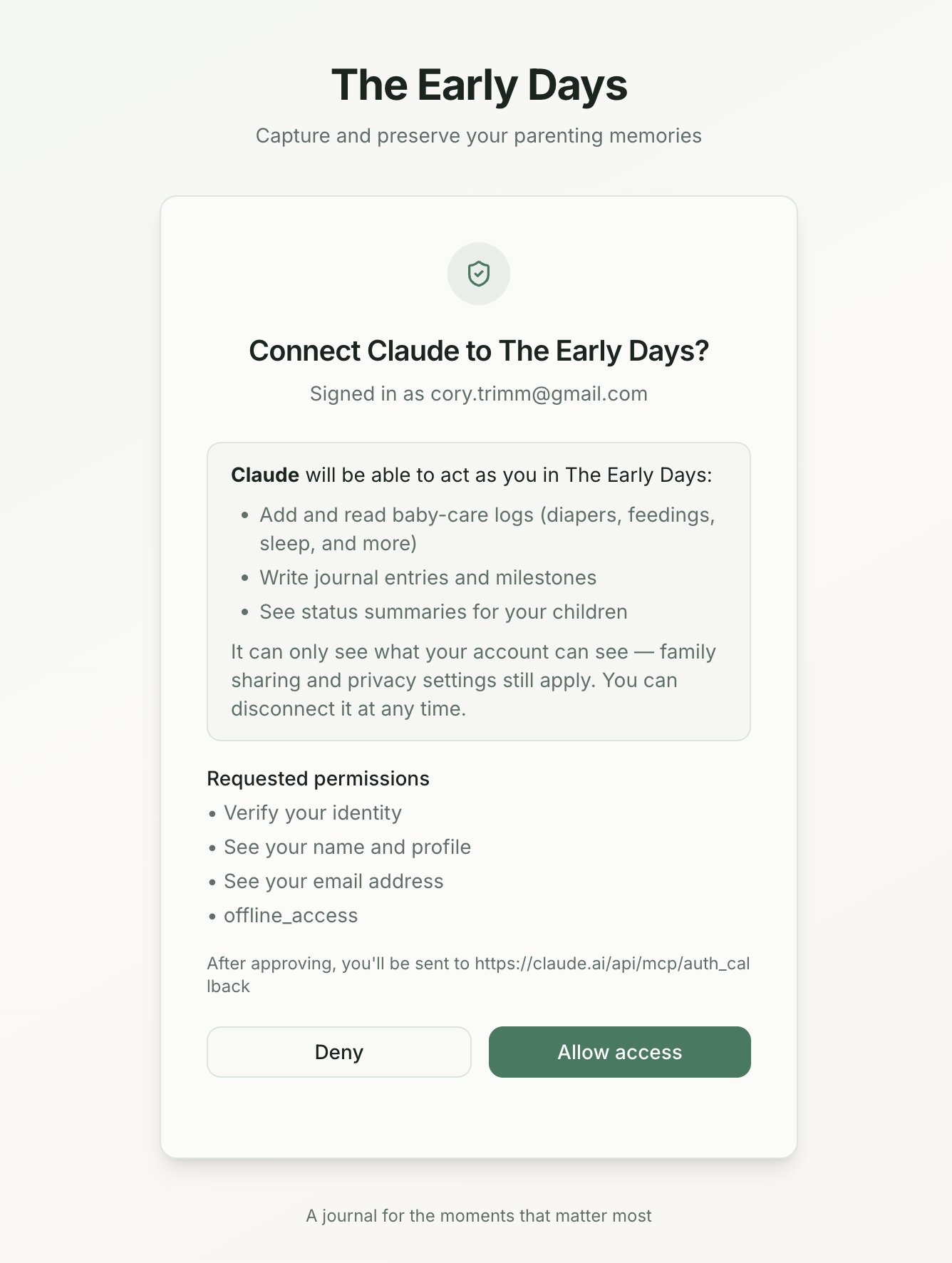
https://earlydays.app/api/mcp, or find The Early Days in the Connectors Directory. - Claude opens the Early Days consent screen. Review what it can do and choose Allow access.
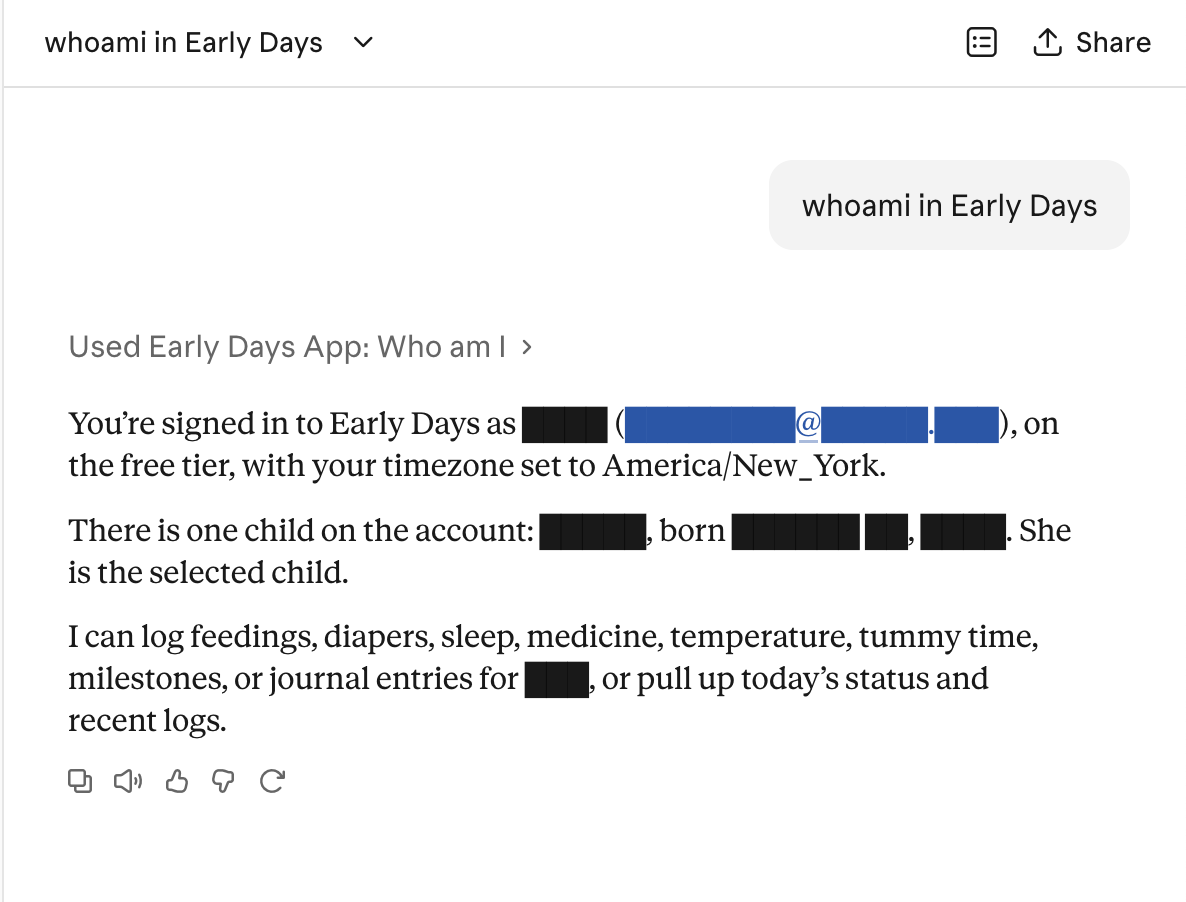
- That's it — ask Claude "whoami in Early Days" to confirm the connection, then just say what happened.
What the assistant can do
The connector exposes 19 tools. Six are read-only: your profile and children, today's status ("how is she doing today?"), today's journal question, recent care logs, and your latest weekly AI summary. Thirteen write data when you ask: the six care logs, journal entries, milestones, correcting or deleting a log, and attaching a photo or video to an entry. Write tools are annotated as data-changing, so Claude asks for approval before running them unless you set otherwise.
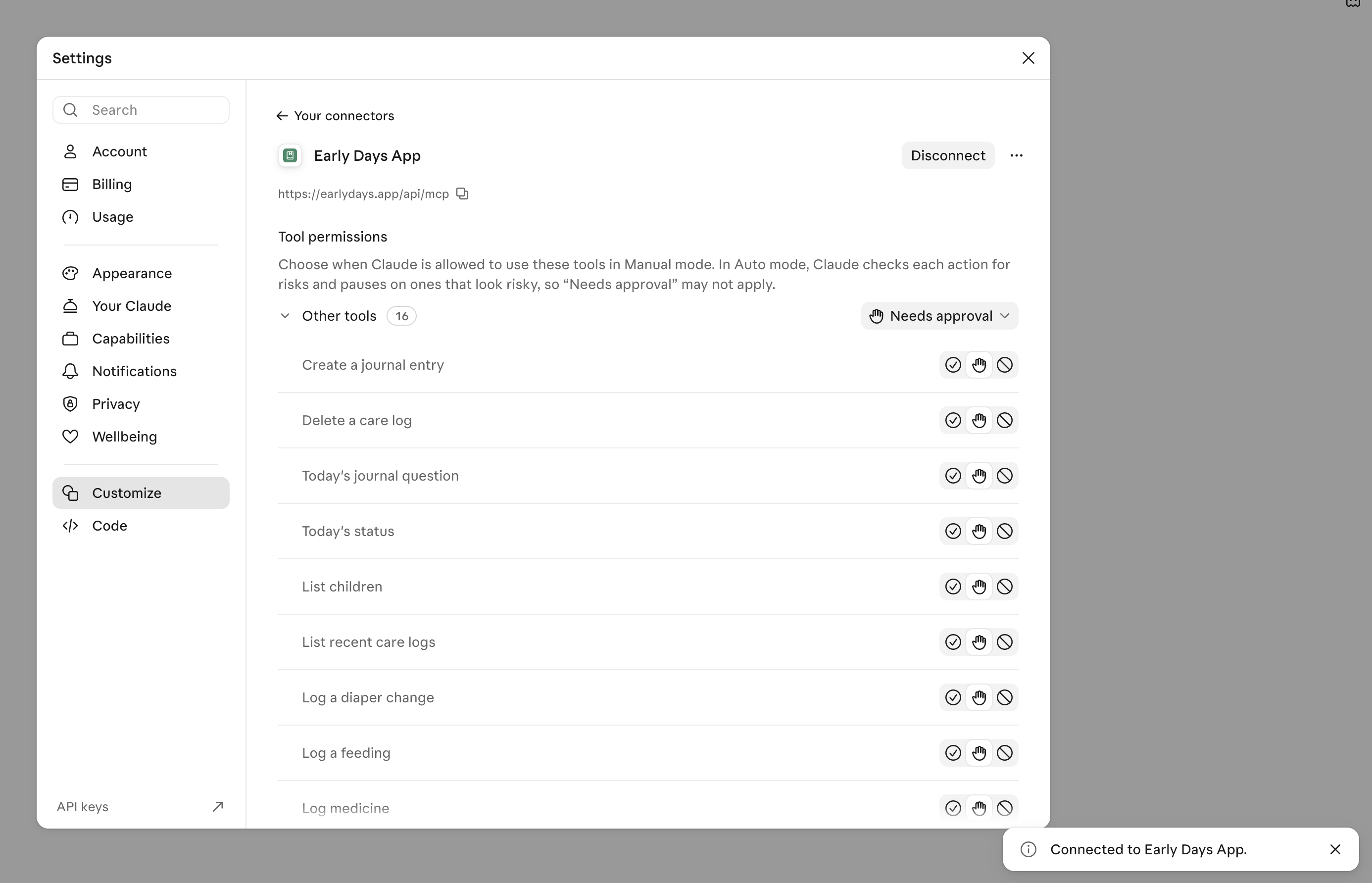
- It acts as you. The assistant signs in with OAuth 2.1 and runs under your account's permissions and privacy settings — it cannot see another family's data, change your subscription, or touch account settings.
- Plans apply. Free accounts can log diapers and sleep through an assistant; the full set of tools follows your plan, exactly as in the app. Photo and video uploads count against the same monthly quotas as uploads in the app.
- Photos and video. An assistant with access to your files (such as Claude Code or Codex) can attach a photo or video to a journal entry: the connector issues a secure, time-limited upload link and the file goes straight to Early Days storage, one photo and one video per entry, just like the app. Chat-only assistants can't send files, so for those, add pictures from the app.
- Your partner hears about it. When an assistant saves a journal entry for you, your partner gets the same push notification as if you had written it in the app — unless the entry is private.
- Disconnecting is instant. Remove the connector in your assistant's settings and its access is revoked.
More detail, including the free-vs-premium behavior and privacy model, is in Just Say What Happened — Early Days Now Works with Claude, ChatGPT, and More.
Import and export
- Import — Settings → Import brings in tracking history from Huckleberry (CSV), Baby Tracker, Baby Connect, Tinybeans, Glow Baby, and Qeepsake exports.
- Export — Settings → Export Data downloads everything as JSON or CSV at any time. Your data is never locked in.
Plans
Early Days is free to start, and paid plans are a single lifetime payment — no subscriptions, no renewals.
| Free — $0 | Premium — $99 lifetime | Family — $199 lifetime |
|---|---|---|
| Unlimited text entries | Unlimited photos and video | Everything in Premium |
| 10 photos, 3 videos, 3 audio per month | Unlimited audio recordings | Extended recording (10-minute audio, 60-second video) |
| Daily prompts from 1,000+ questions | Weekly AI summaries | 6 postcard credits included |
| Diaper and sleep tracking | All six tracking types | Multi-child support |
| Partner sharing, monthly AI summary | 3 postcard credits, priority support | Family-wide sharing |
Privacy and security
A baby journal is about as personal as data gets, so Early Days is paid software with no ads and no data selling — that decision shapes everything else.

- Every account's data is isolated with database row-level security.
- Voice transcription happens on your device; AI summaries use the Anthropic API only to generate your text.
- Connected AI assistants authenticate with OAuth 2.1 and revocable tokens — never your password.
- Delete your account and all of its data any time from Settings → Account → Delete Account.
The full details are in the Privacy Policy and Terms of Service.
Getting help
- Email us at hello@earlydays.app — a human reads it.
- The blog covers features in depth, including the AI assistant guide and our privacy approach.
- Not sure if Early Days is for you? Browse the sample timeline — no account needed.